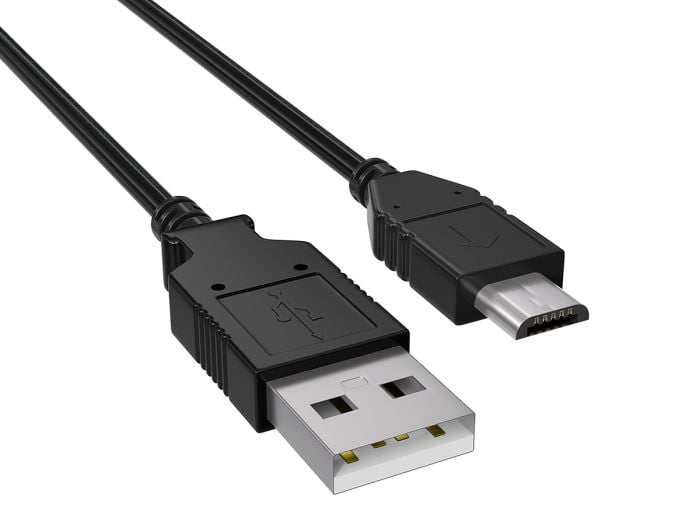
The Evolution of USB: From Standard to SuperSpeed
The evolution of USB (Universal Serial Bus) technology has been a remarkable journey, beginning in the mid-1990s as a solution to connect various devices with a single standard. The original USB 1.0, introduced in 1996, provided a modest data transfer rate of 1.5 Mbps, which was suitable for peripherals like keyboards and mice. However, as digital devices became more sophisticated, the demand for faster data transfer rates grew. This led to the introduction of USB 2.0 in 2000, which escalated the speed to a maximum of 480 Mbps, supporting a wider range of devices including external hard drives and digital cameras.
With the continuous advancement in technology, USB evolved again with the introduction of USB 3.0 in 2008, significantly enhancing data transfer speeds up to 5 Gbps, effectively referred to as SuperSpeed USB. This version introduced a new connector and improved power management, allowing for faster charging and better performance. The evolution didn't stop there; USB 3.1 and 3.2 followed, pushing the data rate even further to 10 and 20 Gbps, respectively. The latest addition, USB4, not only standardizes the USB-C connector but also achieves speeds up to 40 Gbps, marking a new era of connectivity that emphasizes the importance of speed and versatility in today's digital landscape.
When looking to expand your USB connectivity, choosing the right cable is essential. Here are the Top 10 USB Extension Cables that combine performance, length, and durability to meet your needs. Each of these cables offers unique features, ensuring you can find the perfect match for your devices.
Top 5 USB Gadgets that Simplify Your Life
In today’s fast-paced world, having the right tools at your disposal can significantly simplify your daily tasks. Here are the Top 5 USB Gadgets that promise to enhance your productivity and make life a little easier:
- USB Hub: A USB hub allows you to connect multiple USB devices to a single port, minimizing clutter and ensuring you never run out of connections.
- USB Coffee Warmer: Keep your coffee or tea warm while you work. This gadget is a lifesaver for those long hours at your desk.
- USB Vacuum Cleaner: Perfect for keeping your workspace tidy, a USB vacuum cleaner makes it easy to clean crumbs and dust from your computer keyboard or desk.
- USB LED Light: Illuminate your workspace with a flexible USB LED light. Whether you need extra light for reading or late-night projects, these lights are portable and energy-efficient.
- USB Fan: Stay cool during hot days or stuffy environments with a mini USB fan. They’re compact, affordable, and ideal for enhancing your comfort level wherever you are.
How to Choose the Right USB Cable for Your Devices
Choosing the right USB cable for your devices is essential for ensuring optimal performance and compatibility. With numerous types of USB cables available, it’s important to consider factors such as device compatibility, data transfer speed, and charging capabilities. First, identify the type of USB connector that your device requires—common types include USB-A, USB-B, USB-C, and Micro USB. You can usually find this information in the device specifications or user manual. Once you know the connector type, further narrow down your options by assessing whether you need a cable primarily for data transfer, charging, or both.
Another key consideration is the data transfer speed of the USB cable. Cables are typically rated by their USB version, such as USB 2.0, USB 3.0, or USB 3.1. For example, USB 3.0 cables can transfer data at speeds of up to 5 Gbps, making them ideal for high-performance devices like external hard drives. Additionally, be mindful of the cable length; longer cables may lead to slower data transfer speeds and reduced charging efficiency. Always opt for a reputable brand to ensure quality, and check for any warranty or guarantee to secure your purchase.